
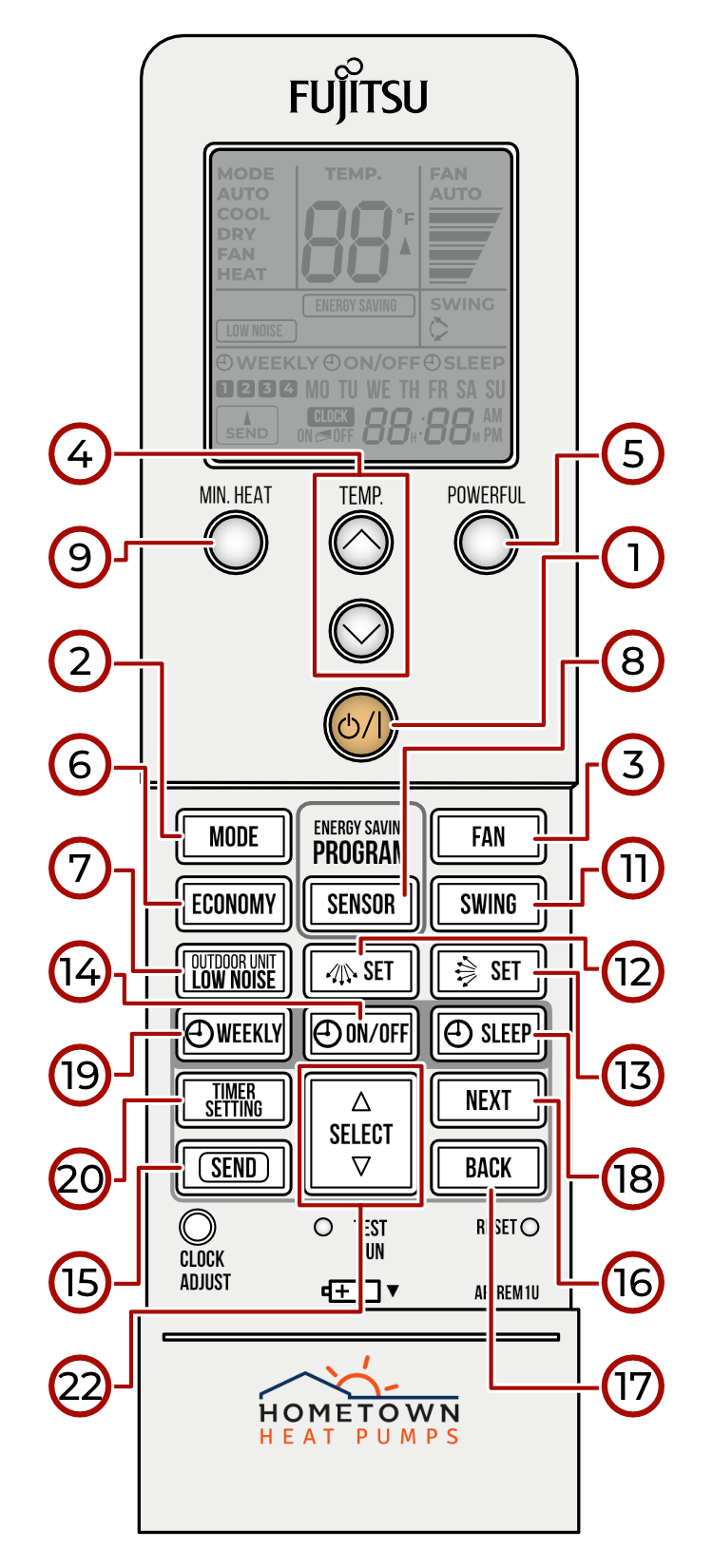
SINGLE SYSTEM
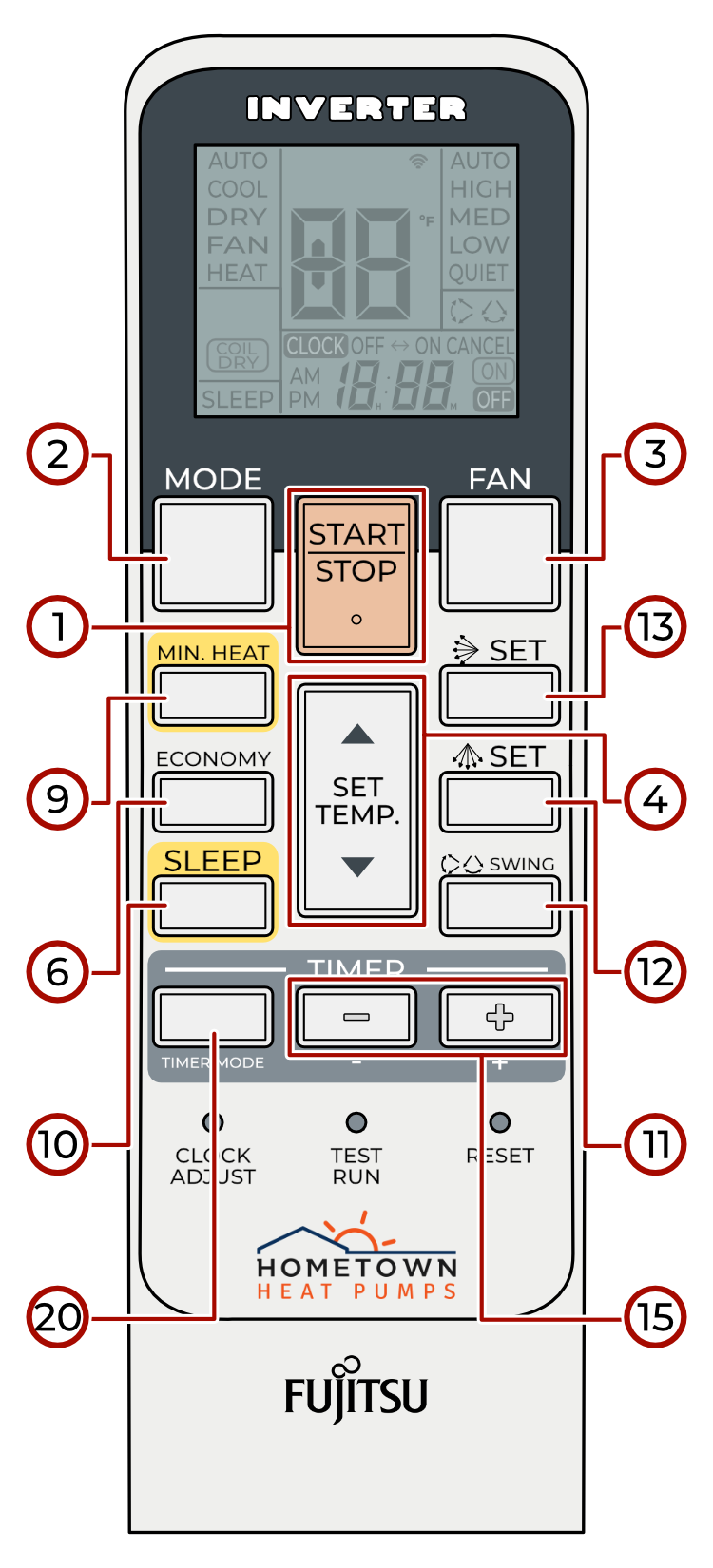
SINGLE 24+ SYSTEM
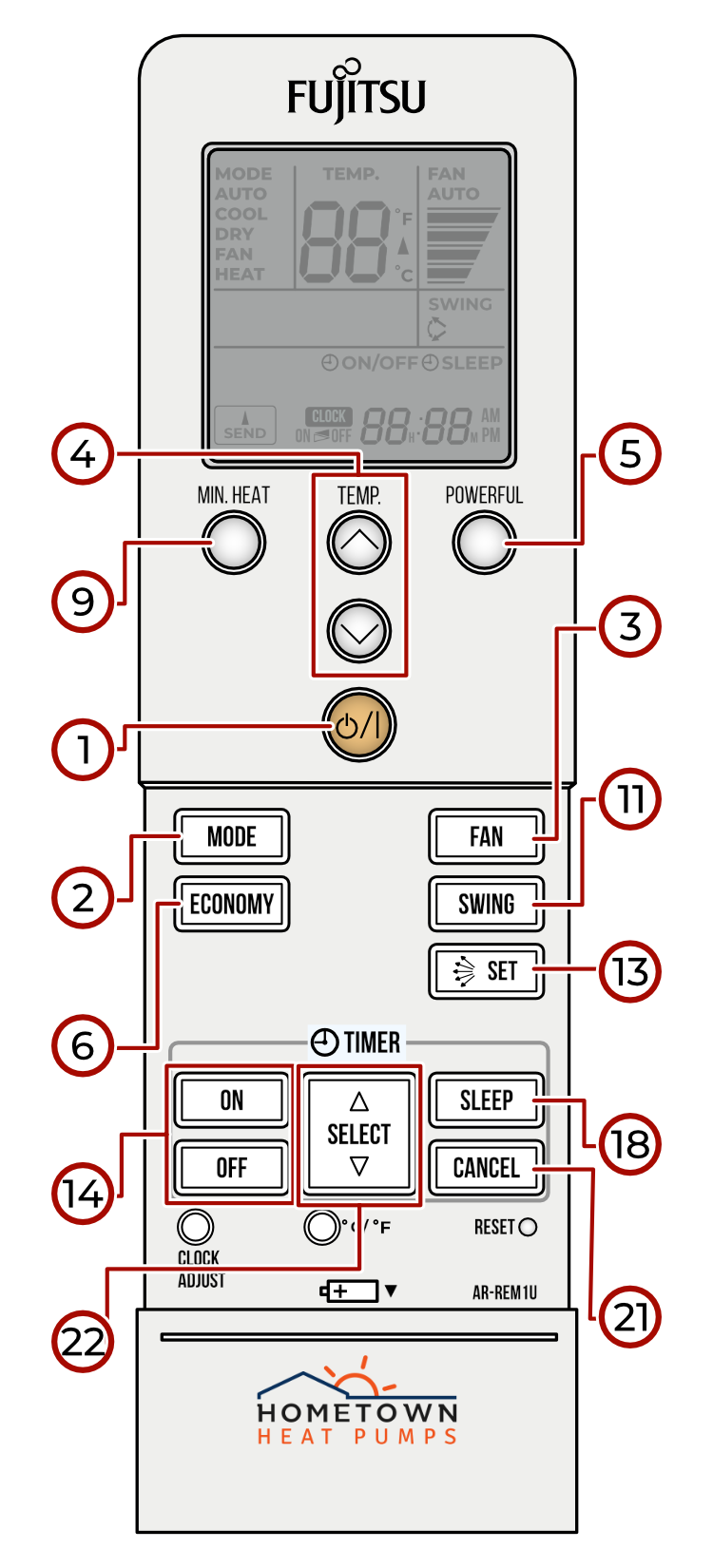
MULTI SYSTEM
Button Guide
1. POWER BUTTON - turns the heat pump system on or off
2. MODE BUTTON - selects operation mode
3. FAN BUTTON - adjusts the fan speed
4. TEMPERATURE ADJUSTMENT BUTTONS - adjusts the temperature settings
5. POWERFUL BUTTON - temporarily maximizes output
6. ECONOMY BUTTON - reduces performance; enables maximum efficiency operation
7. LOW NOISE BUTTON - reduces performance; enables quieter operation
8. SENSOR BUTTON - reduces performance; enables movement detection
9. MINIMUM HEAT BUTTON - sets heat mode to 50 degrees (F)
10. SLEEP BUTTON - temporarily reduces system efficiency
11. SWING BUTTON - reduces efficiency; automates louver positioning
12. HORIZONTAL SET BUTTON - cycles through horizontal air direction options for the louvers
13. VERTICAL SET BUTTON - cycles through vertical air direction options for the louvers
14. TIMER ON/OFF BUTTON - reduces performance & efficiency; turns on or off the system timer
15. TIMER SET/SEND BUTTON - completes the timer or clock setting
16. TIMER NEXT BUTTON - enables the next step while configuring timers & settings
17. TIMER BACK BUTTON - reverts to the previous step while configuring settings & timers
18. SLEEP TIMER BUTTON - reduces system efficiency for a set period of time
19. WEEKLY TIMER BUTTONS - reduces performance & efficiency; enables timers to be set or cancelled
20. TIMER MODE/SETTING BUTTON - reduces performance; enables timers to be set or cancelled
21. TIMER CANCEL BUTTON - cancels active timers
22. SELECT BUTTONS - enables selection of timer type & settings
Recent Comments